THE PRODUCT

Connect Every Hardware Unit to Its Digital Record

Every physical hardware unit has information associated with it. Its identity, configuration, components, revisions, testing and changes can all matter long after the hardware has been built. Connect an individual unit to a digital record that brings this information together and makes it accessible directly from the physical hardware.

PHYSICAL HARDWARE UNIT + DIGITAL HARDWARE RECORD Illustrative / conceptual record — not customer data
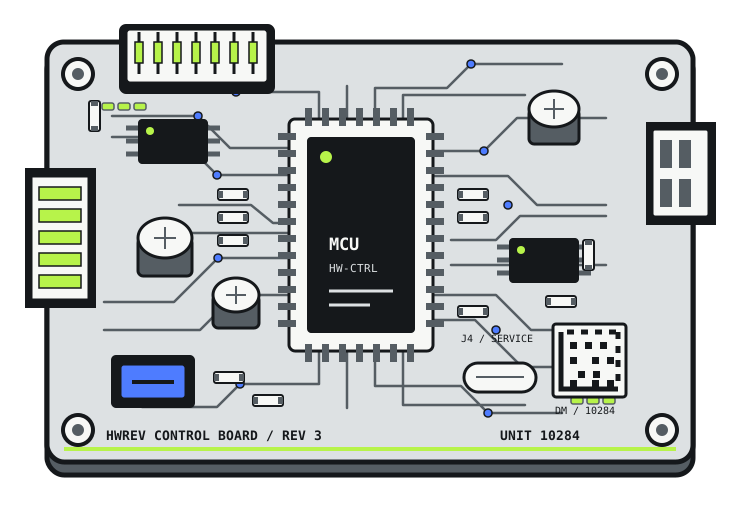
HARDWARE #10284 Detailed electronic control board connected to the illustrative digital record for hardware unit 10284
DIGITAL RECORD CURRENT
Identity
Hardware #10284
Revision
Revision 3
Configuration
Current configuration
Components
Associated components
Firmware
v2.4.1
Production
Production information
Testing
Test passed
Changes
Recorded changes
History
Recorded history

02 / INFORMATION

What Belongs to a Hardware Record?

A hardware record brings together information that describes a specific physical unit — from its identity and configuration to testing, changes, and recorded history.

DIGITAL HARDWARE RECORD HARDWARE #10284
CURRENT STATE

Illustrative / conceptual record — not a live customer record

Identity
Hardware #10284
Configuration
Revision 3
Firmware
v2.4.1
Components
Relevant component information associated with the unit.
Production
Relevant production information associated with the unit.
Testing
Testing information associated with the unit.
Changes
Recorded changes made to the unit.
History
Chronological record of relevant events and changes.
  1. Prototype configuration
  2. Revision update
  3. Power component replaced
  4. Firmware updated
  5. Testing
  6. Current record

03 / UNIT DIFFERENCES

The Product May Be the Same. The Hardware History May Not Be.

Two units built from the same product design can still have different histories. One may have a different firmware version, a replaced component, additional testing, or a repair that the other never had.

Unit-level traceability keeps those differences associated with the individual physical hardware.

FICTIONAL / ILLUSTRATIVE EXAMPLES SAME PRODUCT DESIGN ≠ IDENTICAL INDIVIDUAL-UNIT HISTORY NOT CUSTOMER DATA
COMMON PRODUCT / MODEL CONTROL BOARD A · REV 3 TWO DISTINCT PHYSICAL UNITS
Electronic control board representing illustrative unit 10284

UNIT #10284

PHYSICAL IDENTITY · DM-10284
Revision
Rev 3
Firmware
v2.4.1
Components
Power component replaced
Testing
Test passed
Rework / repair
Rework recorded · Repair recorded
Recorded history
Prototype → Rework → Repair → Current
Electronic control board representing illustrative unit 10285

UNIT #10285

PHYSICAL IDENTITY · DM-10285
Revision
Rev 3
Firmware
v2.4.0
Components
Original power component
Testing
Test passed · Additional test recorded
Rework / repair
No rework recorded · No repair recorded
Recorded history
Prototype → Testing → Current

04 / CURRENT + HISTORY

Understand the Configuration. Follow the Changes.

The current configuration tells you what a hardware unit is now. Its recorded history helps explain how it reached that state.

UNIT #10284 / CURRENT CONFIGURATION CURRENT STATE

Illustrative / conceptual record

Hardware
#10284
Revision
3
Production
Production
Firmware
v2.4.1
Component
updated
Test
passed
RECORDED HISTORY CHRONOLOGICAL
  1. 01 Prototype configuration
  2. 02 Revision update
  3. 03 Power component replaced
  4. 04 Firmware updated
  5. 05 Testing
  6. 06 Current record

05 / LIFECYCLE

Follow the Hardware Through Its Lifecycle.

A hardware unit can accumulate important information as it moves from development through production, testing, rework, deployment, and service. Keeping that information associated with the individual unit provides context throughout its lifecycle.

Conceptual representation of information associated with a hardware unit throughout its lifecycle

Illustrative physical electronic control board unit 10284 followed through the recorded lifecycle
ONE IDENTIFIED PHYSICAL UNIT · UNIT #10284
ASSOCIATED INFORMATION ACCUMULATES ACROSS THE RECORDED LIFECYCLETHE STAGES BELOW REFER TO THIS INDIVIDUAL UNIT
  1. 01 UNIT #10284

    Development

    • Design/revision
    • Configuration

    RECORD +Revision + configuration

  2. 02 UNIT #10284

    Prototype

    • Build information
    • Components

    RECORD +Build + components

  3. 03 UNIT #10284

    Production

    • Unit identity
    • Production information

    RECORD +Identity + production

  4. 04 UNIT #10284

    Testing

    • Test information
    • Results

    RECORD +Testing + results

  5. 05 UNIT #10284

    Rework / Repair

    • Changes
    • Replaced components
    • Repair information

    RECORD +Changes + repair

  6. 06 UNIT #10284

    Deployment / Service

    • Current configuration
    • Service history
    • Recorded changes

    RECORD +Current state + history

06 / PRACTICAL USE

Get the Information You Need About a Specific Unit.

Which revision is this unit running?
Identify the revision associated with the specific hardware unit.
Which components are associated?
Understand the component configuration recorded for the unit.
What testing has it gone through?
Access testing information associated with the unit.
What changed?
Review recorded changes to the hardware.
How did it reach its current configuration?
Follow the recorded history leading to the current state.
What is the current production status?
Access the production information recorded for the unit.

07 / NEXT STEP

See How It Could Fit Your Hardware Lifecycle.

Explore how individual hardware units, their configurations, and their recorded history can stay connected throughout the hardware lifecycle.

Request a Demo